

A complete entry plan begins on site
If you only need to see and speak to someone at the front door, a video doorbell may be enough. If you want a call button and controlled release for approved people, a UniFi Access intercom is a different project: the door, lock, hub, cabling and permissions need planning together.
We provide the site assessment and can supply and install the complete UniFi intercom and door-access package. The selected hardware and method of entry are confirmed for your particular opening.
What changes when the door can open?
We visit the property to inspect where a caller stands, how the door opens, the existing lock, cable route and network location. We also ask who needs to answer visitors and whether anyone should unlock the entrance remotely.
A compatible UniFi Access reader works with an Access Control Hub to release an approved lock. The reader alone is not the whole system. If the aim is simply to replace a battery doorbell with a wired unit, our battery-to-PoE doorbell guide covers that separate decision.
Our UniFi Access service brings the entry equipment, people and handover together. The site assessment tells us whether the proposed location and existing door hardware can support the plan.
Give the right people the right way in
Depending on the selected intercom and current setup, regular users may enter with a phone tap, NFC card or PIN. A scheduled visitor may use a QR code at a compatible reader. We do not issue a permanent credential to every visitor.
A small business can allow staff to use a front door during work hours and a cleaner to use a separate entrance for an agreed evening window. At home, the plan may be simpler. The diagram shows the principle; your actual groups and time windows are set during configuration.
- Phone tap or mobile unlock: for enrolled users on compatible readers and current UniFi software.
- NFC access card: a physical credential for a named user.
- PIN: code entry on a compatible reader with an agreed code-management policy.
- QR code: time-limited visitor access through the supported visitor workflow.
People, doors and time windows
The example below shows why we ask about groups, entrances and hours during the site assessment. Staff and cleaners use access policies; visitors use a separate visit schedule. It is a planning example, not a claim about the photographed premises.
Ubiquiti's access-policy guidance describes selecting people or groups, permitted doors or gates and a schedule. Its visitor guidance covers timed guest credentials. An ordinary access policy does not leave the door freely unlocked for everyone.
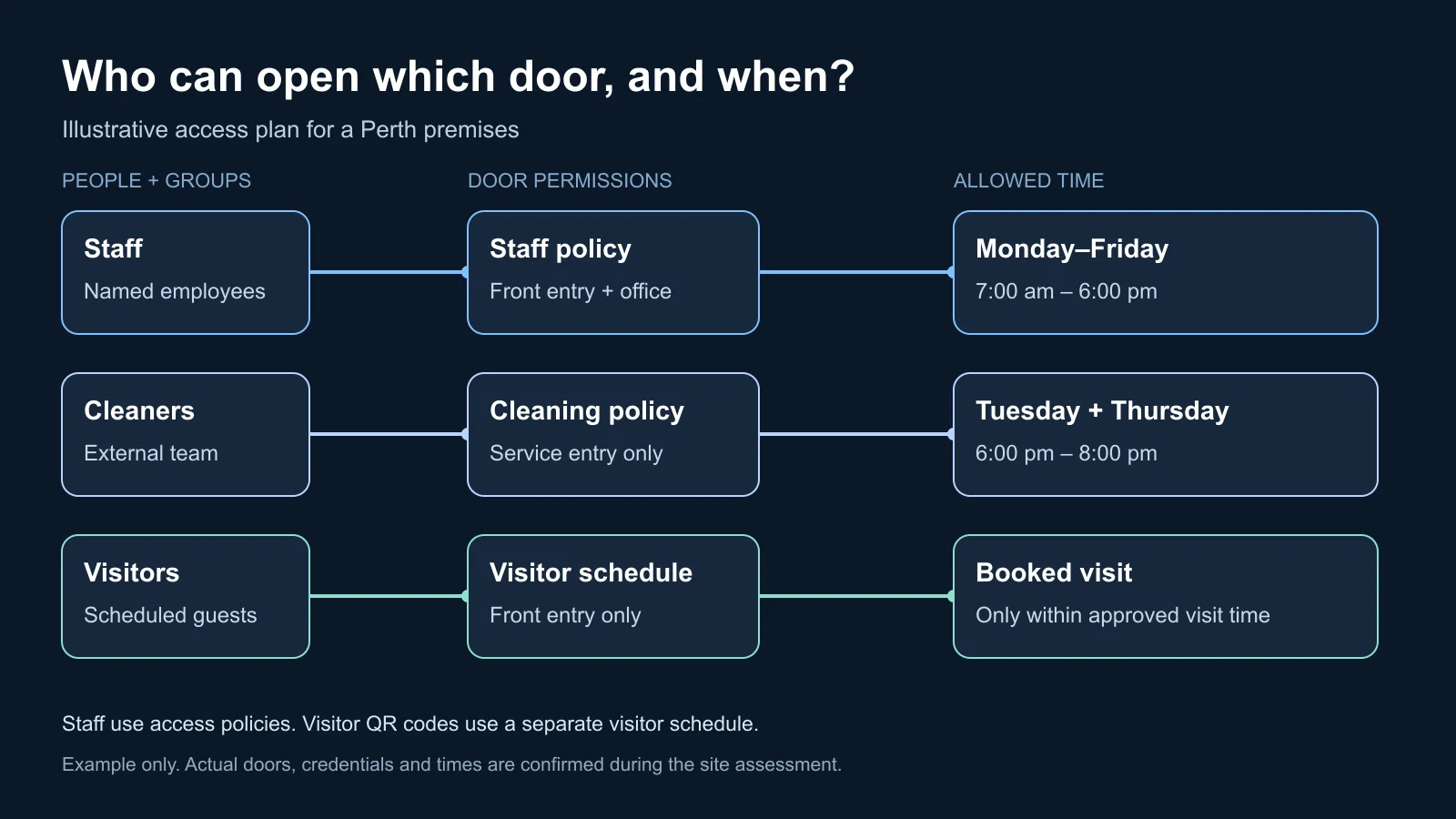
- Staff: front entry and office, Monday to Friday from 7:00 am to 6:00 pm.
- Cleaning team: service entry only, Tuesday and Thursday from 6:00 pm to 8:00 pm.
- Visitors: front entry only during the approved booking window; QR access if the selected reader and visitor setup support it.
What the installed equipment looks like
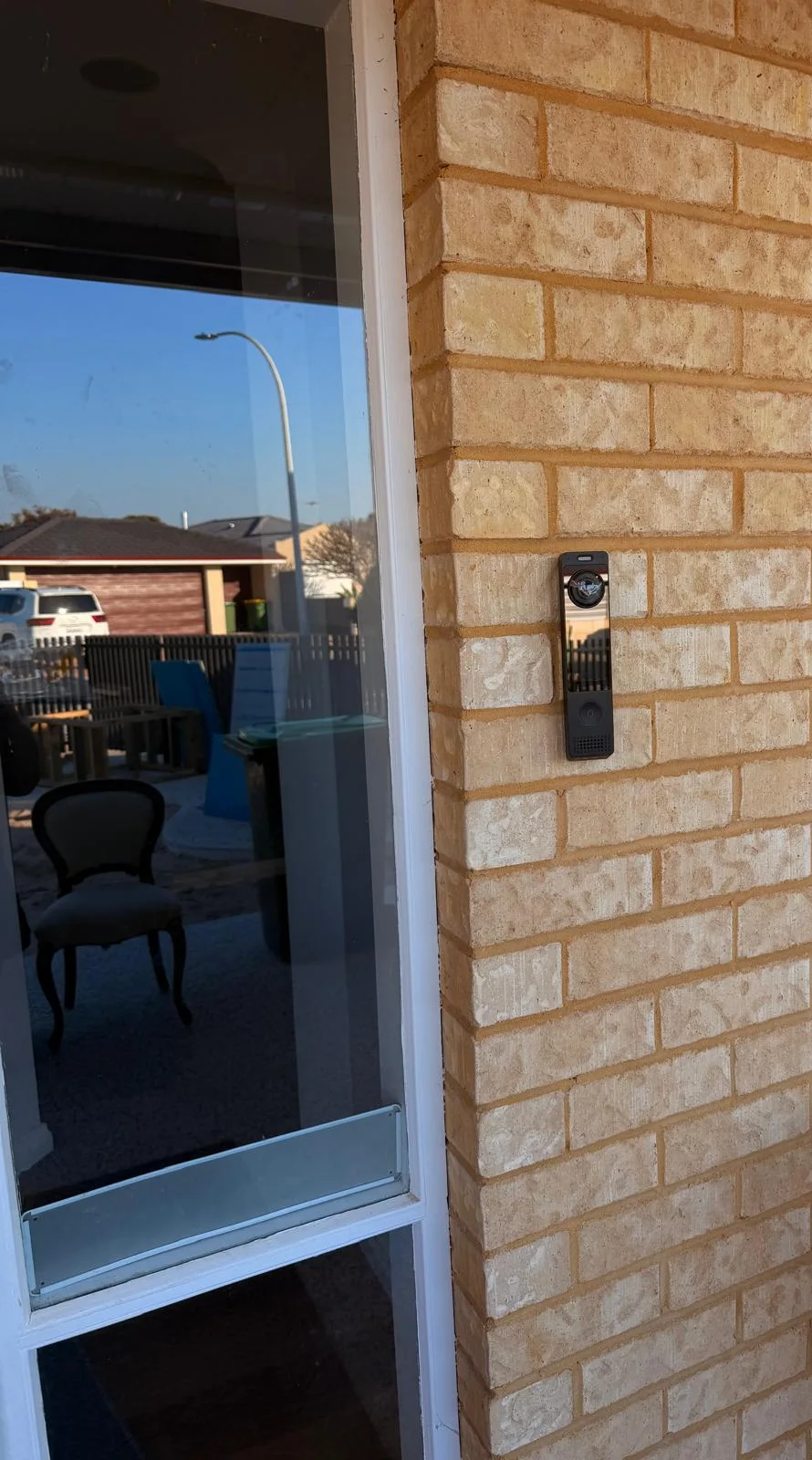
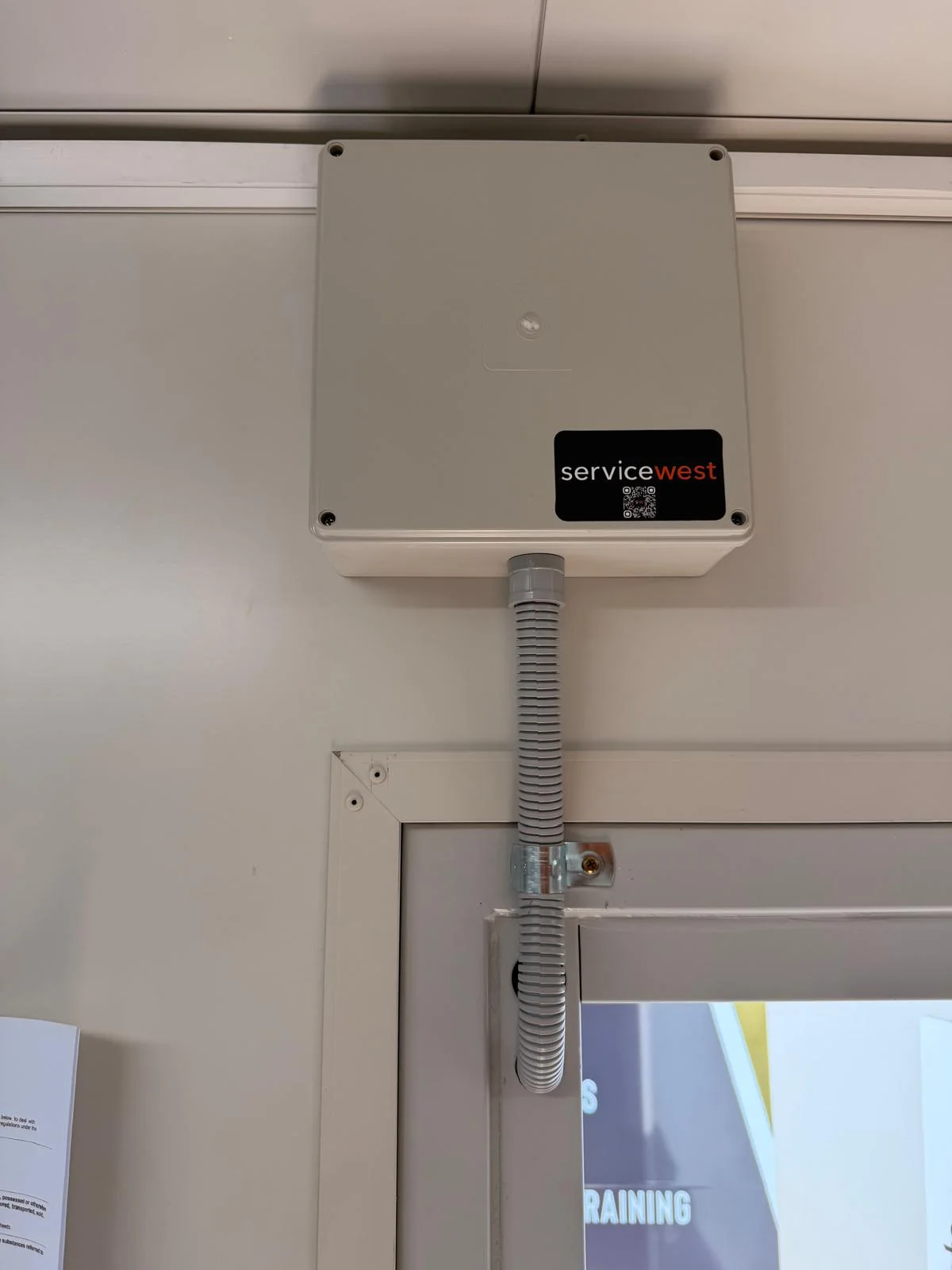
The supplied photographs show a UniFi intercom beside an entrance and a Servicewest-branded supporting enclosure. They illustrate the physical placement and cable route; the images do not establish the exact model, lock interface or permissions at that site.
A complete installation, not a box on the wall
We can supply the chosen UniFi intercom and supporting equipment, arrange the agreed installation, configure visitor calling and access rules, then show you how to manage users. The quote sets out any door or electrical works required for your site.
Book a Perth UniFi site assessment and tell us whether you need visitor video, controlled release or both. We will recommend a complete supply and installation package that fits the opening.
Useful answers
Is a UniFi intercom the same as a video doorbell?
No. Both can support a visitor call, but controlled entry through UniFi Access also needs a compatible hub, lock arrangement and configured permissions. We assess which job you actually need.
Can family or staff tap a phone to open the door?
Mobile Tap is supported on compatible UniFi Access readers with the required software and user setup. We confirm those prerequisites for the proposed equipment.